

In today’s competitive e-commerce landscape, offering a diverse product catalog is crucial for capturing a wider audience and boosting sales. Shopify product variants empower businesses to showcase a single product with multiple options, such as different colors, sizes, materials, or styles. Mastering the art of product variant management is essential for streamlining your online store, enhancing the customer experience, and ultimately, driving conversions. This comprehensive guide will delve into the intricacies of Shopify variants, providing you with the knowledge and tools to unlock the full potential of customization within your Shopify store.
This guide will explore the benefits of effectively using product variants on Shopify, from simplifying inventory management to improving user navigation. We will cover everything from setting up variant options and managing variant images to optimizing product descriptions for each variation. Learn how to create a seamless and intuitive shopping experience for your customers by presenting them with a clear and organized product selection. Whether you’re just starting out with Shopify or looking to refine your existing setup, this guide will equip you with the expertise to unlock the true power of product customization.
Understanding Product Variants and Their Importance
Product variants represent the different versions of a single product that you offer in your Shopify store. These variations can stem from differences in attributes like color, size, material, or any other defining characteristic. Instead of creating separate product listings for each version, variants allow you to group them under a single parent product, streamlining your inventory and improving customer experience.
Why are product variants important? Variants offer several key advantages. Firstly, they simplify product browsing for customers. Shoppers can easily compare and select desired options within a single product page, rather than navigating multiple listings. This streamlined approach enhances user experience and can lead to increased sales.
Secondly, variants help organize your inventory. By grouping related products, you can manage stock levels and track sales more effectively. This consolidated view simplifies inventory management and reduces the risk of overselling or stockouts.
Finally, using variants contributes to improved SEO. By consolidating product information onto one page, you concentrate relevant keywords and build a stronger authority for that product, improving search engine visibility.
Creating Variants for Your Products: A Step-by-Step Guide
Adding variants to your products allows customers to select specific options like size, color, or material. Here’s how to set them up in Shopify:
1. Access Product Details:
From your Shopify admin, navigate to “Products” and select the product you want to modify.
2. Locate the “Options” Section:
Scroll down to the “Options” section within the product details page. This is where you’ll define the variant options.
3. Add Options:
Click “Add option” and enter the option name (e.g., “Size”). Then, input the possible values for that option (e.g., “Small,” “Medium,” “Large”). Repeat this process for each variant option (e.g., “Color” with values “Red,” “Blue,” “Green”).
4. Preview Variants:
As you add options, Shopify will automatically generate the possible variant combinations. You’ll see a preview of these variants listed below the options section.
5. Adjust Individual Variant Details:
Click on individual variants to customize pricing, SKU, barcode, and inventory for each specific combination.
Managing Variant Options Effectively
Efficient variant management is crucial for a seamless customer experience and streamlined operations. Organization is key. Use clear and concise naming conventions for your options and values. For example, instead of “Red1” and “Red2”, use “Bright Red” and “Burgundy.” This improves both your backend management and the customer-facing presentation.
Limit the number of variants to avoid overwhelming customers and simplify inventory tracking. Shopify has limits on the number of variants per product, but it’s good practice to stay well below those limits for usability. Consider grouping similar products together instead of creating an excessive number of variants within a single product listing.
Regularly review and update your variant options. Remove outdated or unpopular options to maintain a clean and efficient product catalog. This prevents confusion for customers and simplifies inventory management. You can also use Shopify’s bulk editing features to quickly update multiple variants at once.
Pricing and Inventory Management for Product Variants
Effectively managing pricing and inventory for your product variants is crucial for maximizing profits and ensuring a smooth customer experience. Shopify provides tools to streamline this process.
You can set individual prices for each variant, allowing you to reflect differences in cost or perceived value. For example, a larger size of a garment might justify a higher price point. Conversely, you can offer discounts on specific variants to clear out excess inventory.
Inventory tracking for each variant helps prevent overselling and stockouts. Shopify allows you to set inventory quantities for each variant, and it automatically updates these numbers as orders are placed. You can also set up low stock alerts to notify you when a variant’s inventory is running low, giving you time to restock before it sells out.
Showcasing Variants with High-Quality Images and Descriptions
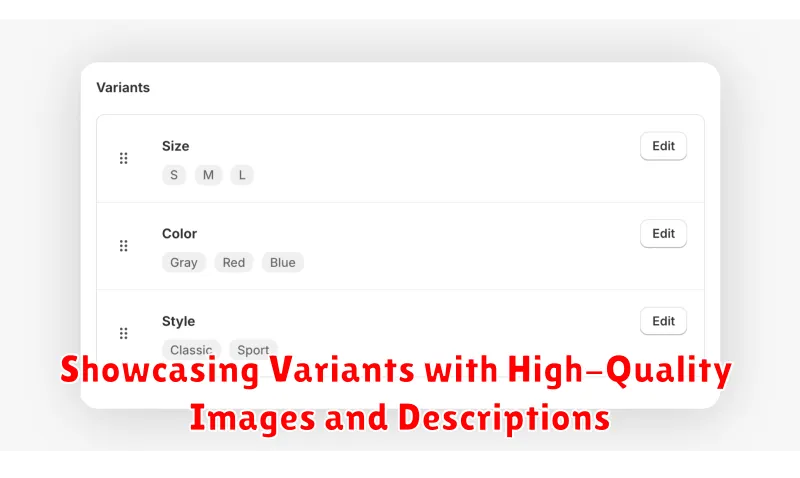
Effectively showcasing your product variants is crucial for converting browsers into buyers. High-quality images and compelling descriptions play a vital role in this process. Customers need to clearly see the differences between each variant to make informed decisions.
Use multiple images per variant to highlight different angles and details. Consider lifestyle shots to demonstrate the product in use. Ensure images are well-lit and professionally styled. This allows customers to visualize owning the product and understand its value.
Variant-specific descriptions should clearly outline the unique features of each option. For example, if a shirt comes in different colors and sizes, the description should specify the color and size associated with each variant. This avoids confusion and improves the customer experience.
Best Practices for Organizing and Displaying Variants
Effectively organizing and displaying product variants is crucial for a positive customer experience. A well-structured approach simplifies navigation and helps shoppers find exactly what they need, reducing confusion and boosting sales. Here’s how to optimize your variant presentation:
Logical Variant Ordering: Arrange variant options in a logical order, such as size (small to large) or color (light to dark). Consistency across products improves usability.
Clear Naming Conventions: Use descriptive and consistent names for variant options. For example, use “Red,” “Blue,” or “Green” instead of “Option 1,” “Option 2,” or “Option 3.” This clarity helps customers quickly understand the available choices.
Visual Cues: Where possible, use visual cues like color swatches or images to represent different variants. This allows customers to quickly visualize the options and speeds up the selection process.
Limit Variant Options on a Single Page: Too many variants can overwhelm customers. If you have a large number of variants, consider using filtering and pagination to break them down into manageable groups.
Using Apps and Tools to Enhance Variant Management
Shopify’s native variant functionality provides a solid foundation, but apps can significantly enhance management and presentation. Leveraging these tools can streamline workflows, improve customer experience, and ultimately boost sales.
Variant management apps offer advanced features beyond Shopify’s standard capabilities. Some apps automate inventory syncing across variants, simplifying stock control. Others provide bulk editing tools for quickly updating pricing, descriptions, or other variant details. This is especially helpful for stores with a large number of products and variants.
Custom product options apps extend how customers interact with variants. These apps allow for personalized product experiences, such as engraving, custom text fields, or file uploads linked to specific variants. This level of customization can greatly enhance perceived value and encourage purchases.
Improved variant display apps can enhance the user experience by presenting variants in a more intuitive and visually appealing manner. Some apps offer color swatches, image thumbnails linked to specific variants, or size charts, simplifying selection and reducing customer confusion.
Troubleshooting Common Variant Issues
Encountering issues with product variants is a common experience for Shopify merchants. This section addresses some frequent problems and provides solutions.
Variant Limit Reached
Shopify has a limit of 100 variants per product. If you exceed this, consider using a third-party app that combines variants or simplifies your product structure. Review your product offerings and determine if some options can be consolidated.
Variants Not Appearing on Product Page
Double-check that the variants are properly linked to the product and that their inventory is tracked. Ensure the “Active” checkbox is selected for each variant. If the issue persists, review your theme’s code or contact Shopify support.
Incorrect Pricing or Inventory Display
Verify the pricing and inventory are accurately inputted for each variant. A simple typo can cause discrepancies. Regularly audit your product data to maintain accuracy.
Variant Images Not Displaying
Ensure each variant has its corresponding image uploaded and associated with it. Sometimes a refresh of the product page or clearing the browser cache can resolve display issues.
Optimizing Product Variant Strategy for Increased Sales

A well-structured product variant strategy can significantly impact your sales. By focusing on key areas, you can streamline the customer experience and boost conversions.
Analyze Data. Use Shopify’s analytics and reporting tools to understand which variants are performing well and which are not. This data will inform your decisions on inventory management and future product development. Identify trends and patterns to optimize your offerings.
Strategic Pricing. Different variants may justify different price points. Consider the perceived value and cost differences between variants when setting prices. Premium variants might warrant a higher price, while less popular options could be strategically discounted.
Highlight Popular Variants. Feature your best-selling variants prominently on your product pages. This can involve showcasing them in larger images, using descriptive labels, or highlighting them through special promotions. Make it easy for customers to find what they’re looking for.
A/B Testing. Experiment with different variant displays and pricing structures. A/B testing allows you to identify what resonates best with your target audience. Continuously refine your approach based on the data collected from these tests.
